
Your AI Assistant that works everywhere
Use TinyHelper’s powerful AI models in your browser — answer emails, analyze content, write code, and more, without leaving your site
No credit card required
Grow up your business
Free to use
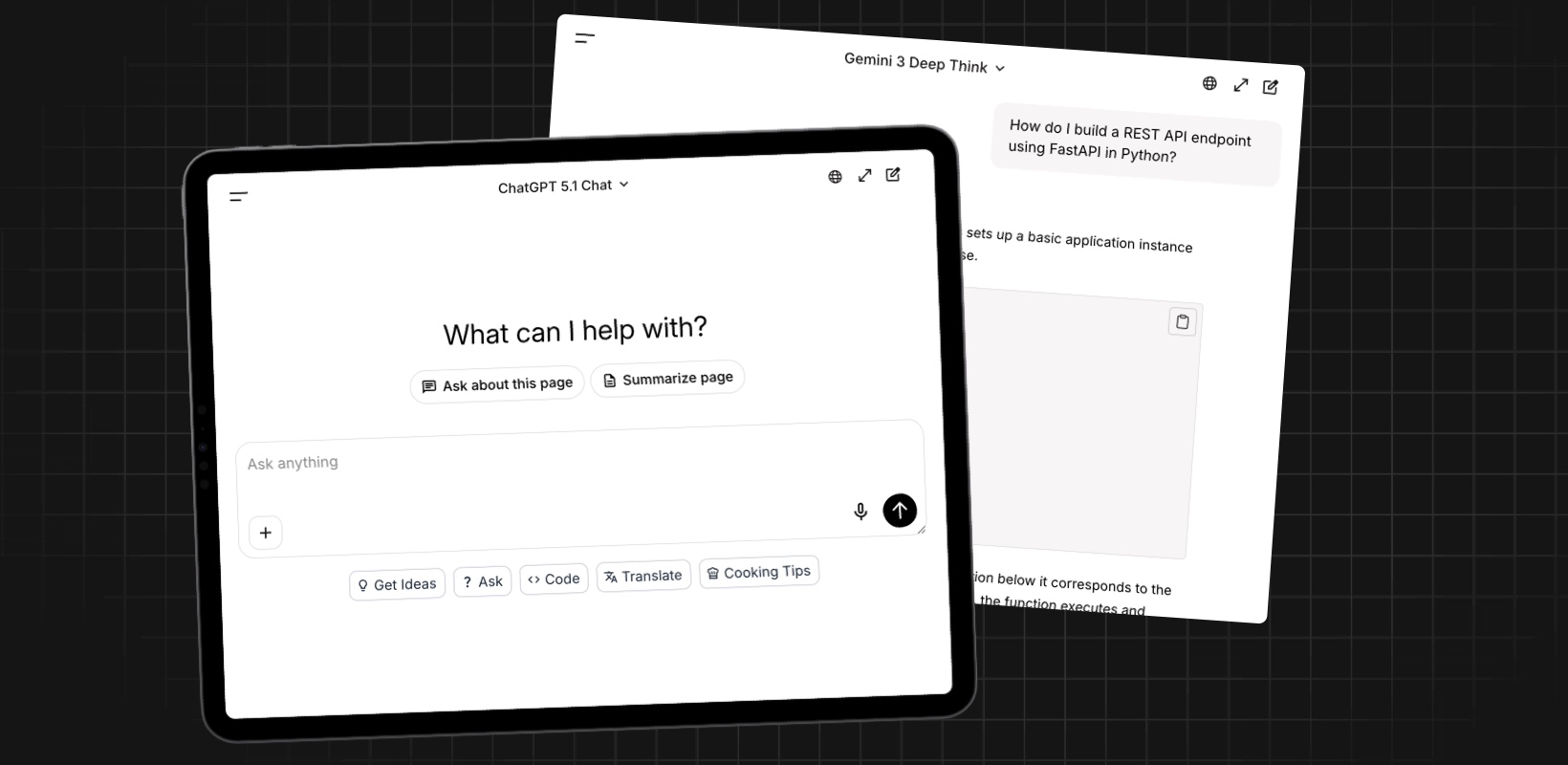
One interface for any AI models
Explore, test, and switch between LLMs without leaving your workflow
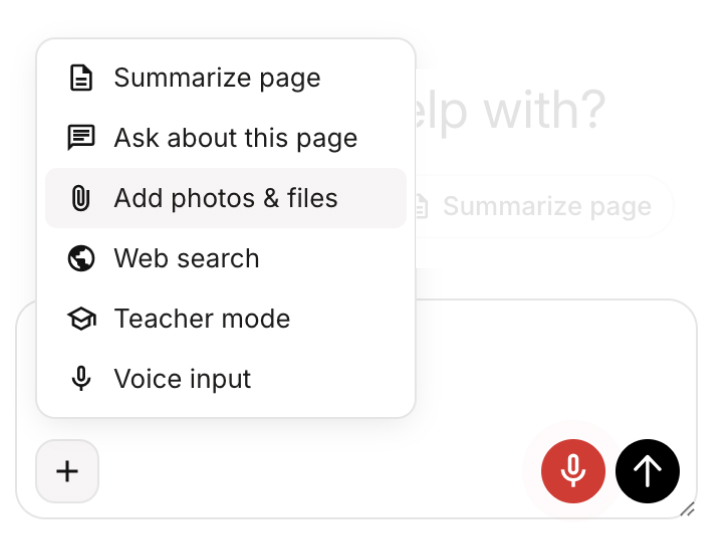
One chat, many features
Multiple AI features available in one powerful chat.
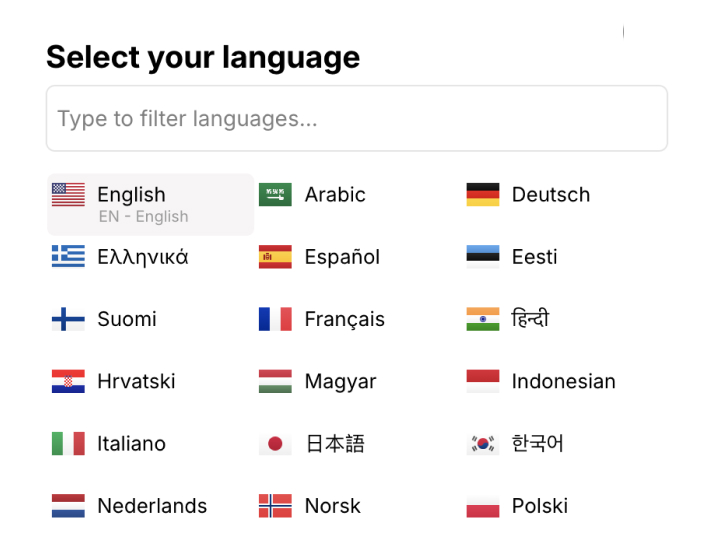
Works in 28+ languages
Automatically adapts to different languages.
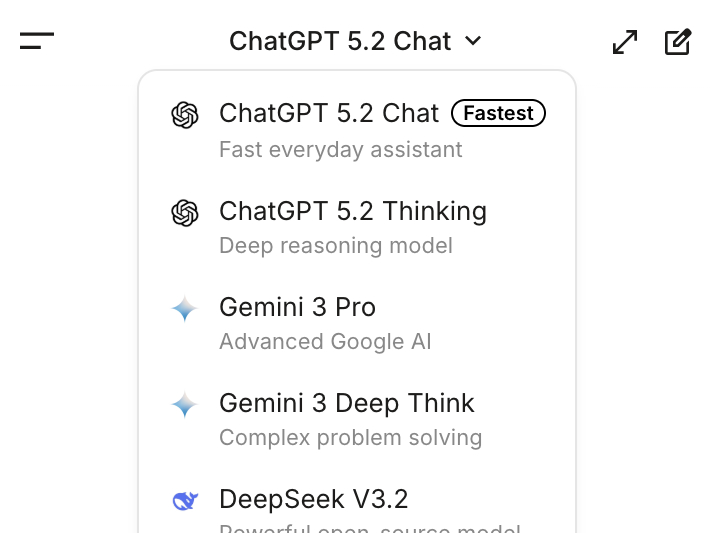
Switch between AI models
Access the latest AI models without leaving your workflow
school
Teacher
Your AI Teacher, always ready to help
Activate the AI Teacher mode to ask questions and get more than just answers.
-
Students: for quick and detailed explanations.
-
Teachers: to create personalized lessons.
-
Developers: for coding help and tech explanations.
translate
Translator
AI Translator: Contextual translations at your fingertips
With TinyHelper’s AI Translator, you can instantly ask for translations directly in the chat or on any webpage. It understands context and not only translates words but also the intended meaning, ensuring seamless communication across languages.
book
Summary
Page Summarization: Get the gist in a click
TinyHelper can summarize any webpage you’re viewing, giving you a clear and concise overview of the content. You immediately see the main ideas and key points without reading the full text.
Use it anywhere
TinyHelper adapts to your workflow — from studying to business and creativity.
Study
Summarize articles, answer tests, and get instant explanations for complex topics — all without leaving your browser.
Work
Write emails, analyze data, manage tasks, and use AI as your daily assistant to save time and stay focused.
Business
Plan strategies, create presentations, brainstorm ideas, and boost your team’s productivity with smart AI tools.
Code
Get instant help with code, refactor faster, fix bugs, and experiment with new ideas directly on the pages where you work.
Research
Quickly digest long articles, reports, studies, and documentation.
Learn
Ask questions on any topic and get clear, structured explanations.
avg_pace
Quickstart
How it works
Get started in minutes with our simple 2-step process
Install the extension
Add TinyHelper from the Chrome Web Store in one click. Google manually reviews every line of code — it’s 100% safe.
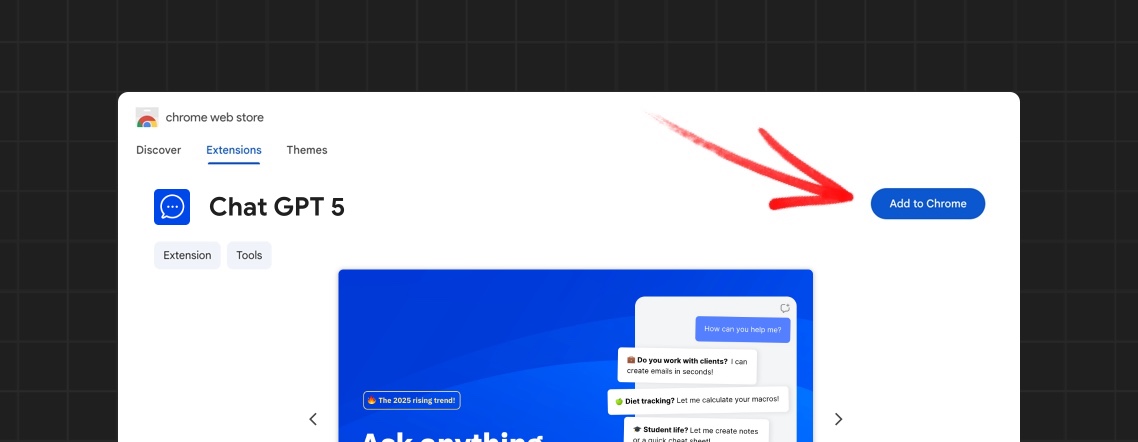
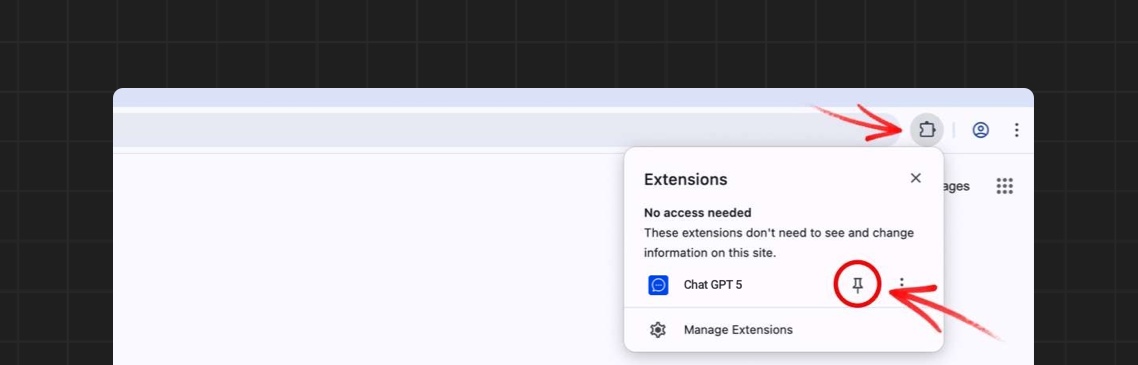
Pin the extension and start using it
Pin TinyHelper to your toolbar and open it on any page. No account or registration required — just start working.
"App always works"
"Super fast!"
"It installs with just 1 click"
What our customers say
Trusted by over 100,000+ users, with a rating from 200+ reviews

Jorge
I found this app that always works and is super fast! 🚀 Plus, it installs with just 1 click in the browser.
S
Sophia
TinyHelper is exactly what I needed. It helps me analyze text and reply to emails in seconds. A must-have extension for productivity!
J
James
TinyHelper is incredible! It responds quickly, helps with all my tasks, and I can’t imagine working without it anymore.
C
Charlotte
TinyHelper is a productivity booster. I can instantly access AI models and get my work done quicker, all within my browser.
E
Emma
TinyHelper has made my work so much easier. It’s incredibly intuitive and saves me tons of time every day. Highly recommend it!

Liam
This tool is a lifesaver! It makes everything so much more efficient, and I love how easy it is to switch between AI models.
I
Isabella
This tool is fantastic! I love how it helps me with text analysis and email responses without having to leave the webpage.
B
Benjamin
Such a great tool! It’s easy to install, and the AI models are spot on. Highly recommend it to anyone looking to work smarter.

Michael
I’ve been using TinyHelper for a few weeks now, and it’s been a game changer. Fast, reliable, and so easy to use right in my browser. Love it!
O
Olivia
I can’t believe how much time TinyHelper saves me! It’s so fast and integrates perfectly with my workflow.
E
Ethan
I use TinyHelper for everything, from coding to handling emails. It’s simple, efficient, and works flawlessly every time.
Frequently asked questions
- What is TinyHelper?
Description
- How does TinyHelper work?
Description
- Is TinyHelper free to use?
Description
- What’s the difference between the Free and Pro plans?
Description
- Can I switch between different AI models?
Description
Start now, it’s free
Access the most powerful AI models in your browser. No credit card, no limits — just start creating.